
 Čeština
  Dansk
Dansk  Deutsch
  English
  English (US)
  Español
  Français
  Italiano
  Magyar
  Nederlands
  Norsk
Norsk  Polski
  Português (BR)
  Română
  Suomi
Suomi  Svenska
  Türkçe
  Ελληνικά
  Български
  Русский
  Українська
  ไทย
ไทย  日本語
日本語  한국어
한국어 
How to keep data safe
from hackers on vacation
On vacation people are often careless – and that is exactly what attackers count on.
How to protect your data while traveling, without being an IT professional.
When on vacation, people are often careless and not so attentive when it comes to cybersecurity. But there are ways to successfully protect yourself from data theft, and you don't have to be an IT professional to do it.
Who doesn't know how it is to check their emails or account balance while traveling. It's easy nowadays thanks to a wide range of smartphone apps. And since you don’t incur any unnecessary costs abroad, you’re more than happy to use the free Wi-Fi in the hotel, restaurant or cafe.
For many people, access to the Internet via a free hotel Wi-Fi is now an important criterion, or even essential, when choosing a vacation destination.
When you move into your room, one of the first things you do is set up and activate the hotel Wi-Fi. This usually goes quickly, select the correct network and you are already in the World Wide Web, this often without being asked to enter a password. The correct network is often recognized by its name, such as the name of the hotel, but names like "Guest" are also common. And since you are already looking forward to the pool or the beach, you don’t have much time to check the name of the access point careful enough.
Unfortunately, cybercriminals are aware of this very fact. For them, it is enough to set up their own hotspot in the neighborhood of the hotel, with a comprehensible name for the unsuspecting hotel guest. From then on, everything is easy for the criminals, from logging into email and social media accounts to passwords for online banking, they can now easily track, store and use everything for abuse.
Hotel servers are often hacked
But this approach is also popular at airports, restaurants and cafes. Unfortunately, in hotels, cybersecurity is often a stepchild that is neglected, there are several examples in which even at well-known hotel chains their hotel software and servers were hacked and customer data, credit card numbers, etc. were captured.
It is therefore no surprise that hotels are disproportionately affected by such cyber attacks.
Recommendations for better vacation data security
Thereby, there are simple and effective measures against the theft of your data by pretend hotel Wi-Fi. First of all, check carefully whether you have really selected the correct, official Wi-Fi of the hotel and use online banking best via a mobile connection (roaming), especially within the EU this is no longer an immense cost factor as in the past.
If you absolutely want to use online banking or access other security- and data-critical apps during your trip, such as email, online shopping or social media applications, you are well advised to install and set up VPN software at home before you leave.
VPN stands for "Virtual Private Network". Virtual Private Network means simplified: Your Internet connection is established via a server of the VPN service - comparable to a virtual tunnel - to the website you are visiting. The data transmitted from your computer or smartphone to the target server is sent through the established VPN tunnel to the VPN endpoint of the VPN provider. There, the data packets are anonymized and forwarded to the destination server.
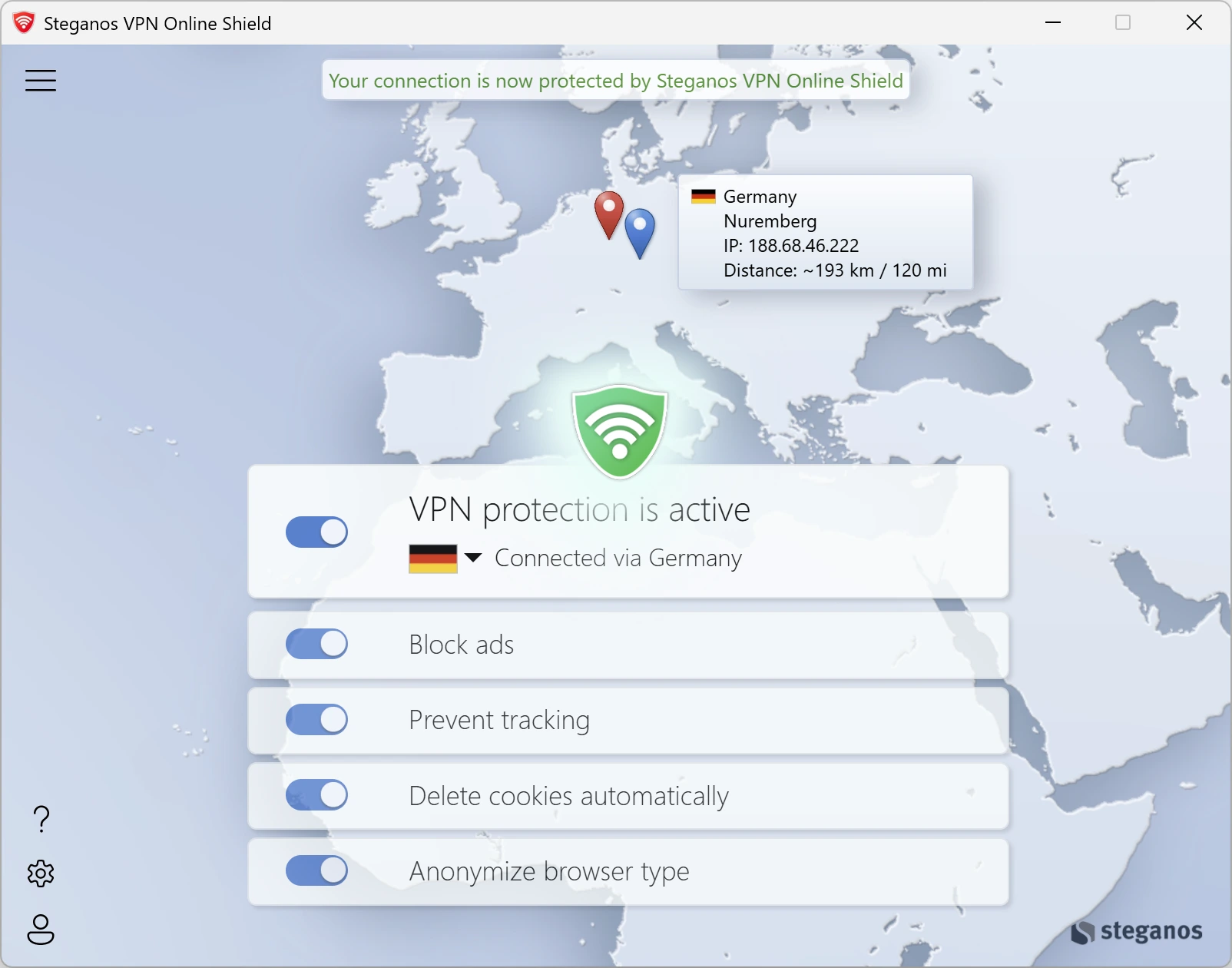
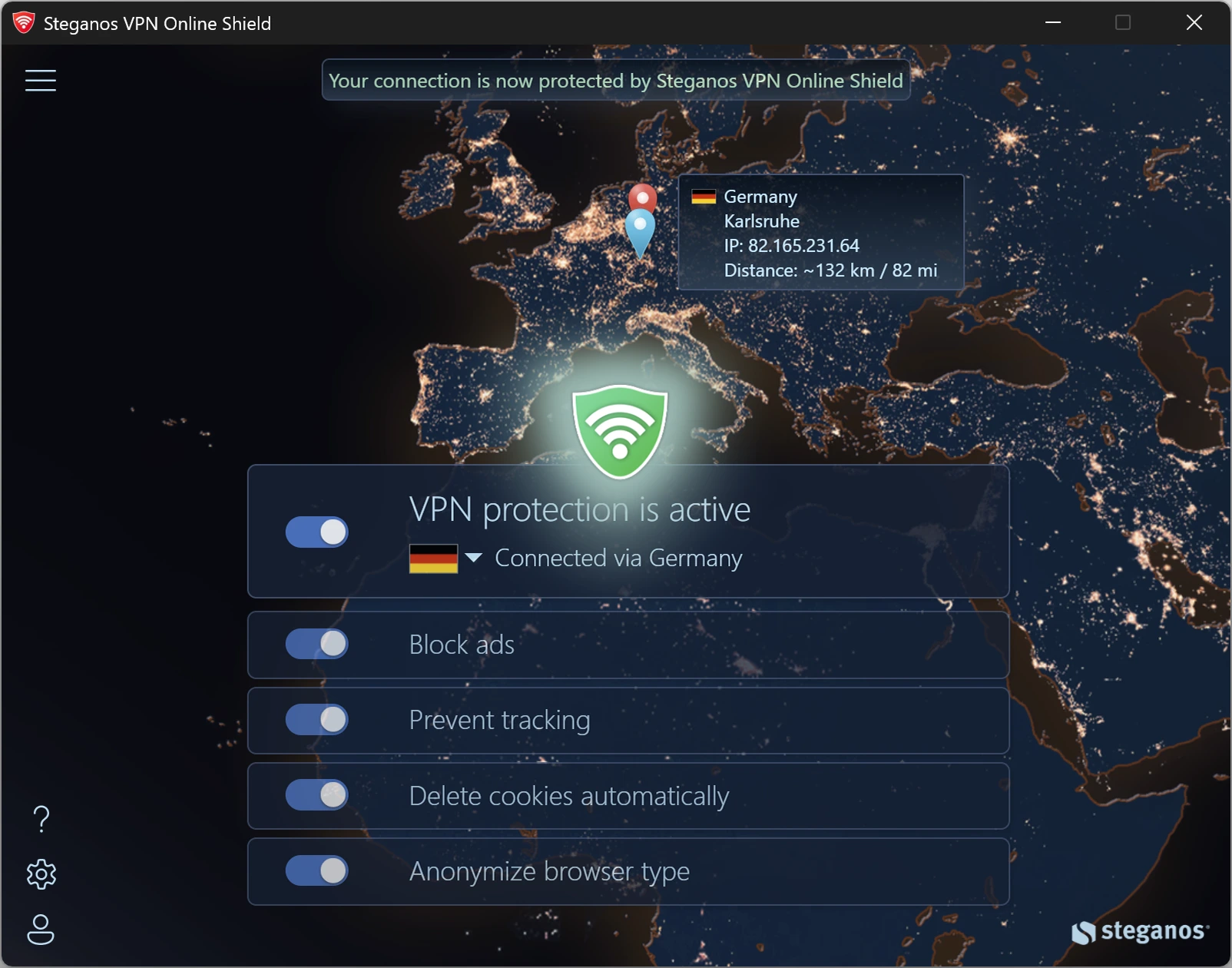
 Steganos®VPN Online Shield
Fully protects your devices – not just in the browser, but system-wide.
- ✓Encrypts your entire connection
- ✓Hides your real IP address
- ✓256-bit AES encryption
- ✓Servers in many countries, switch with one click
- ✓7 days unrestricted, no subscription
More Tips & Hints

What is geoblocking and how you can get around it
Why some content is blocked abroad, how the block works technically and what a VPN changes about it.
Read on →
Why the Recycle Bin is not enough to securely delete your data
Deleted is not gone: what really happens when you empty the Recycle Bin and how to remove files so that they cannot be recovered.
Read on →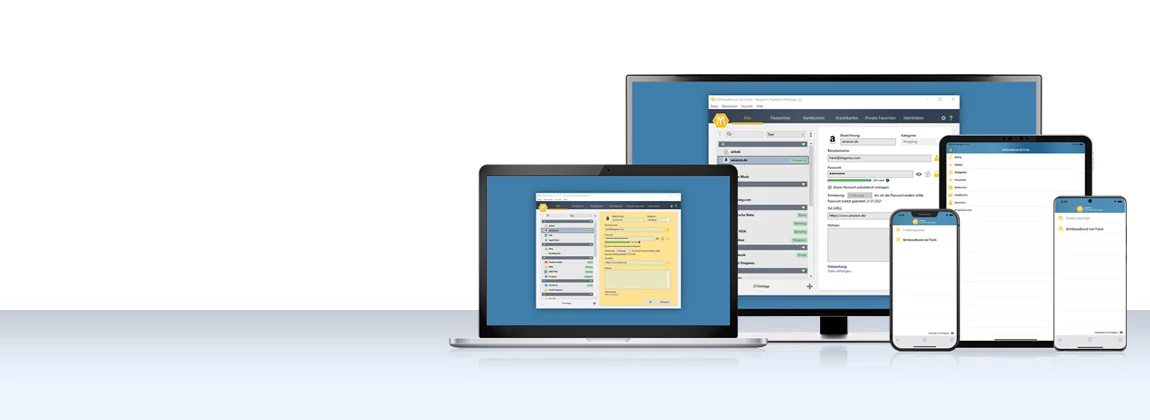
How to use the Password Manager on iOS and Android devices
Step by step: install the app, synchronize your keychain via the cloud and have your passwords at hand on the go as well.
Read on →
What is geoblocking and
how you can get around it
Why some content is blocked abroad,
how the block works technically and what a VPN changes about it.
Simply bypass geoblocking
Surely it has happened to you before: when surfing the Internet you want to use a foreign service. But then, after a short time, a message appears: "This website is not available in your country".
Of course, such a message is annoying, as it denies you access to media libraries or other services such as news sites, flight bookings or online stores.
In order not to be stopped by such Internet blocks again and again, we would like to show you how you can easily bypass geoblocking.
Why does geoblocking exist at all?
Geoblocking is the geographical blocking of Internet content.
Geoblocking is used to deny access to Internet sites, for example, because streaming providers do not have the license for a certain country. Media libraries of the major TV channels but also Netflix and YouTube use geoblocking.
However, there is often geoblocking without you noticing it while surfing. For example, if you visit a foreign website of an online store, many companies will automatically redirect you to the domestic website. You can observe this by the domain extension, which for example changes from .com to .mx. This ensures that you can not benefit from foreign prices or special offers abroad.
How does geoblocking work?
When you open a certain web page, the server recognizes page where you come from. This recognition is based on the IP address, which is unique for each Internet user. It indicates in which country you live and which Internet provider you use. If the website is not allowed in your country or if the website owner does not want you to access the website from your country, you will be redirected to another website or a message will appear that the website cannot be accessed from your country.
The best solution against geoblocking is a VPN.
If you connect to a server in another country via VPN, such as the Steganos VPN Online Shield via the country selection within the VPN software, you can use its Internet connection and IP address. Corresponding websites, which would otherwise deny you access, then think you are in this country. This way you can outsmart the websites and their geoblocking and see content that was not originally intended for your country.
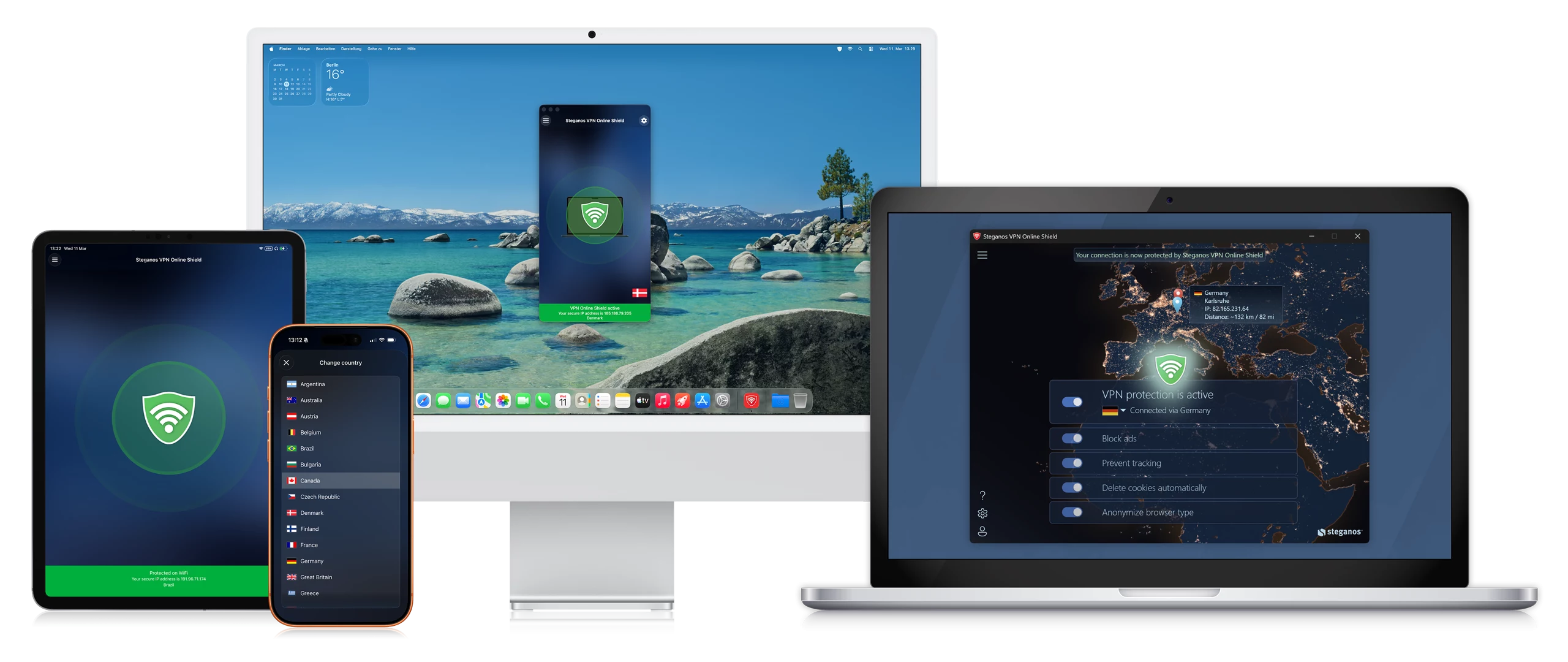
Bypass geoblocking with Steganos VPN Online Shield
Let's assume you are on vacation in Mexico and want to watch a show on the website of a well-known US TV channel on your laptop, tablet or smartphone.
You will see the following message
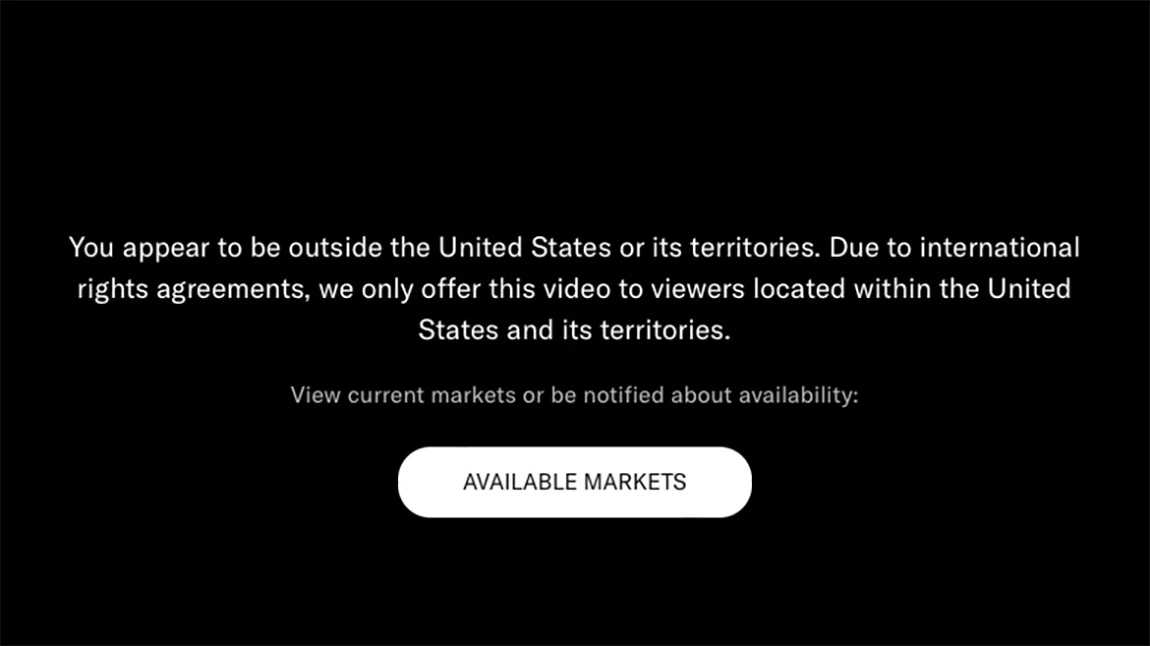
"Due to international rights agreements we only offer this video to viewers within the United States."

But luckily you have Steganos VPN Online Shield installed
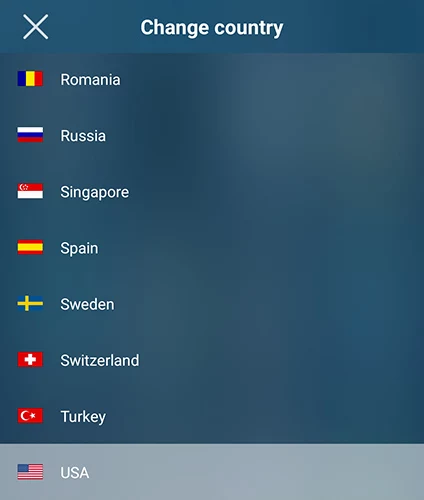
You open your Steganos VPN Online Shield, select the country selection in the menu and thus switch to servers located in the USA.
After that you load again the page of the desired TV channel or its media library and nicely you can watch your desired program.
Now you can watch your desired program

With Steganos VPN Online Shield you benefit from additional features:
- Surf securely, privately and anonymously, no matter where you are.
- Access foreign websites at home without being prevented from doing so by geo-blockers
- Be able to use your national websites abroad, such as the livestream of your favorite local TV channels
- Protect yourself in public WiFi from hackers and data spies
- Easily switch to a server in another country at any time
Fortunately, nowadays, using a VPN service is easy for everyone to apply without any prior technical knowledge. Whether you're on vacation, want to watch your popular season of a series already available abroad in your home country, or are a business traveler traveling to countries that block social media services or other sites. VPN offers the right and secure solution for every occasion.
Steganos®VPN Online Shield
Fully protects your devices – not just in the browser, but system-wide.
- ✓Encrypts your entire connection
- ✓Hides your real IP address
- ✓256-bit AES encryption
- ✓Servers in many countries, switch with one click
- ✓7 days unrestricted, no subscription
More Tips & Hints
Why the Recycle Bin is not enough to securely delete your data
Deleted is not gone: what really happens when you empty the Recycle Bin and how to remove files so that they cannot be recovered.
Read on →
How to use the Password Manager on iOS and Android devices
Step by step: install the app, synchronize your keychain via the cloud and have your passwords at hand on the go as well.
Read on →
How a VPN can protect your smartphone and increases security and browsing comfort
Your smartphone holds your accounts, photos and messages. What a VPN actually secures there – and where it additionally increases browsing comfort.
Read on →
Why the Recycle Bin
is not enough to
securely delete your data
Deleted is not gone: what really happens when you empty the
Recycle Bin and how to remove files so that they cannot be recovered.
Why you should securely delete data and how Steganos Shredder helps you to do so
Moving files to the recycle bin and deleting them via the normal Windows method does not actually remove them from your physical disk. Only the references to where the data is located on the disk are removed. With appropriate software, it is easily possible to recover files deleted in this way, as long as they have not yet been overwritten.
It is therefore recommended to securely delete sensitive files and especially those that you copy to Steganos Data Safe when they are no longer needed. After all, the best encryption is of no use if the original data can still be read from the unencrypted area of your drives using relatively simple methods.
Below we explain how you can use Shredder to safely remove data from your drives. Steganos Shredder overwrites the deleted files with random data so that they cannot be easily recovered.
Securely delete files and folders with Steganos Shredder
-
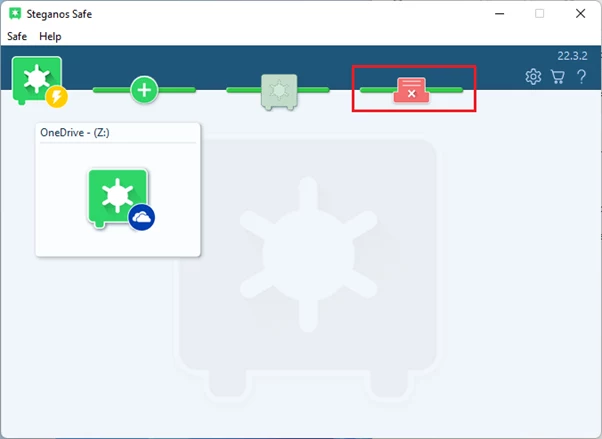
First, open Steganos Data Safe and click on the Shredder icon.
-
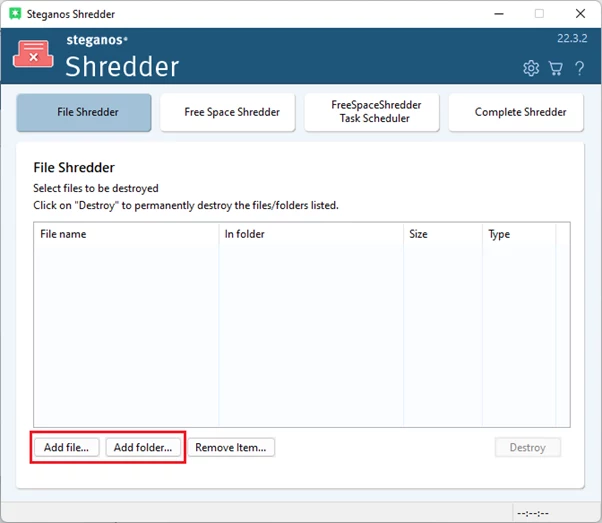
Then click "Add File" or "Add Folder" and select the files or folders you want to permanently delete. You can also simply drag and drop the files/folders into the Shredder window.
-
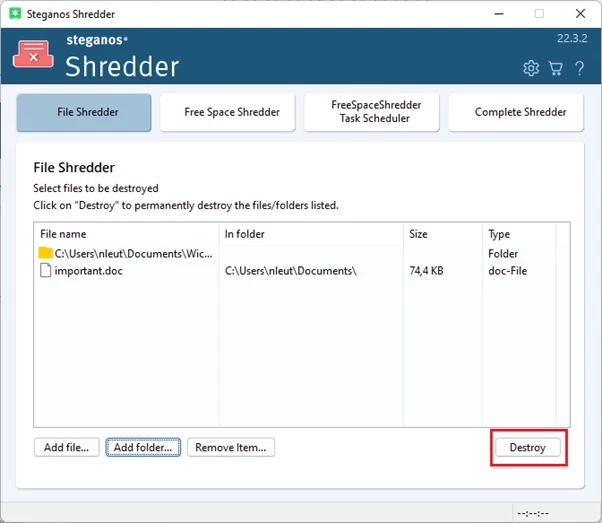
Once you have selected all the files you want to delete, click on "Destroy" and then on "OK". Before you delete files with the shredder, you should of course make absolutely sure that you no longer need them!
-
Afterwards, the files will be securely deleted and overwritten and cannot be easily recovered now.
Securely delete files that have already been deleted in the normal way with the Free Space Shredder
The Free Space Shredder is used when you have already deleted files via the normal way, but now also want to make sure that they cannot be recovered.
-
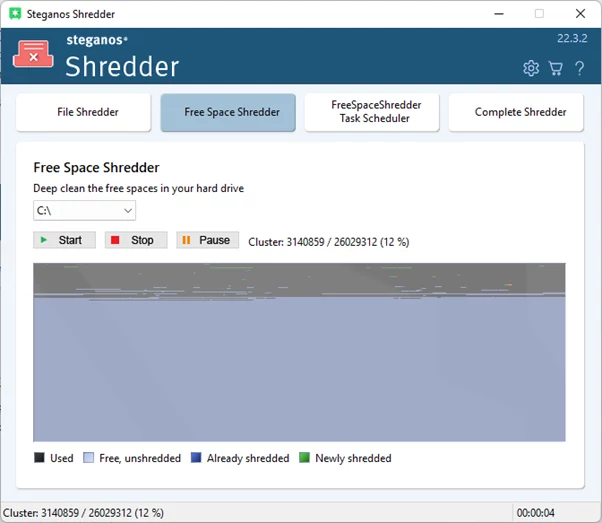
To use it, simply click on "Free Space Shredder" in the main overview of Steganos Shredder. The program will request administrator rights, please confirm them.
-
You will then see the main overview of the Free Space Shredder. Here, simply select the drive whose empty space is to be safely overwritten and click "Start". The process may take some time, depending on how much free space needs to be overwritten.
-
Once this process is complete, even files that you did not securely delete directly with the shredder can no longer be recovered.
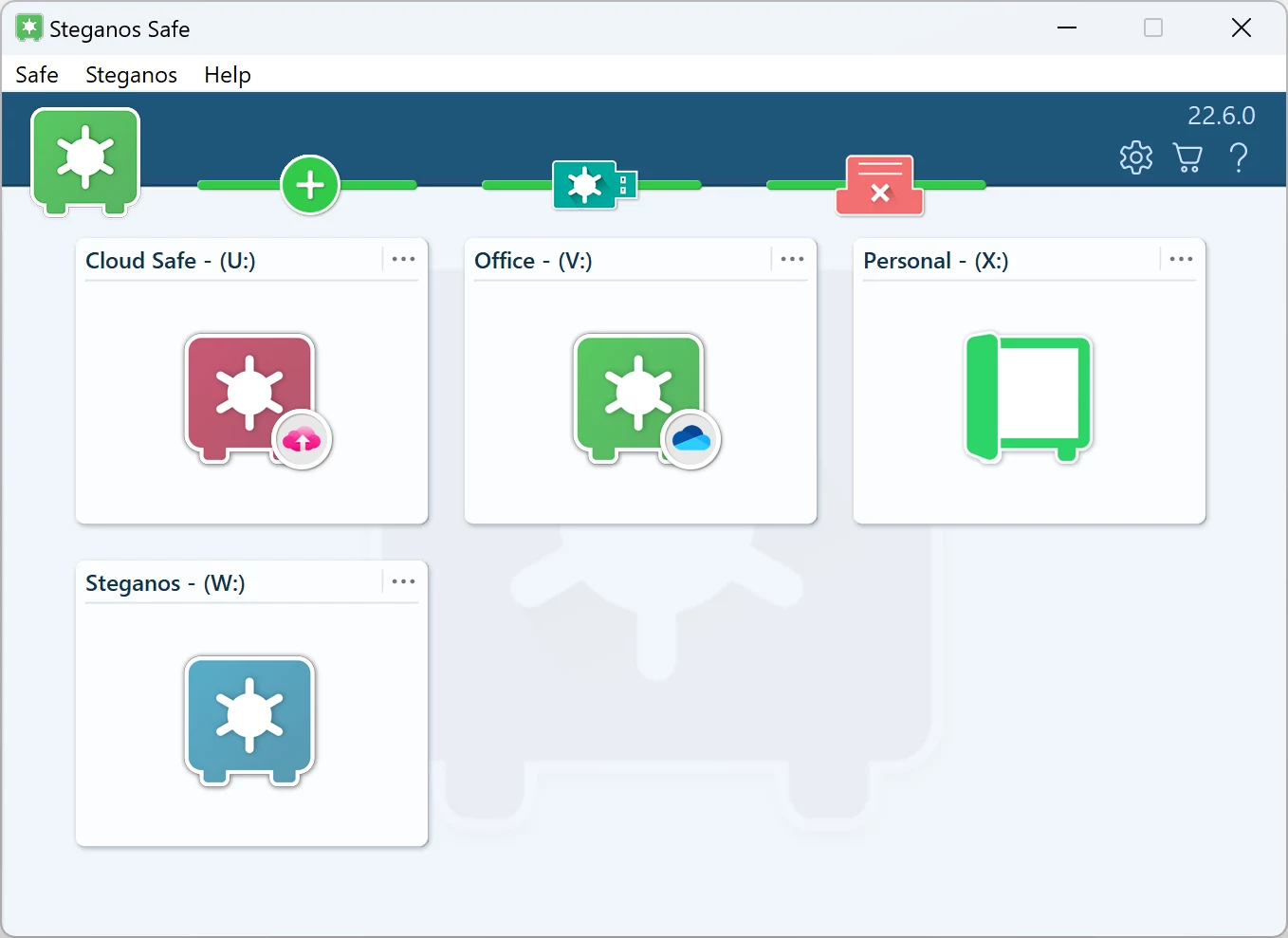
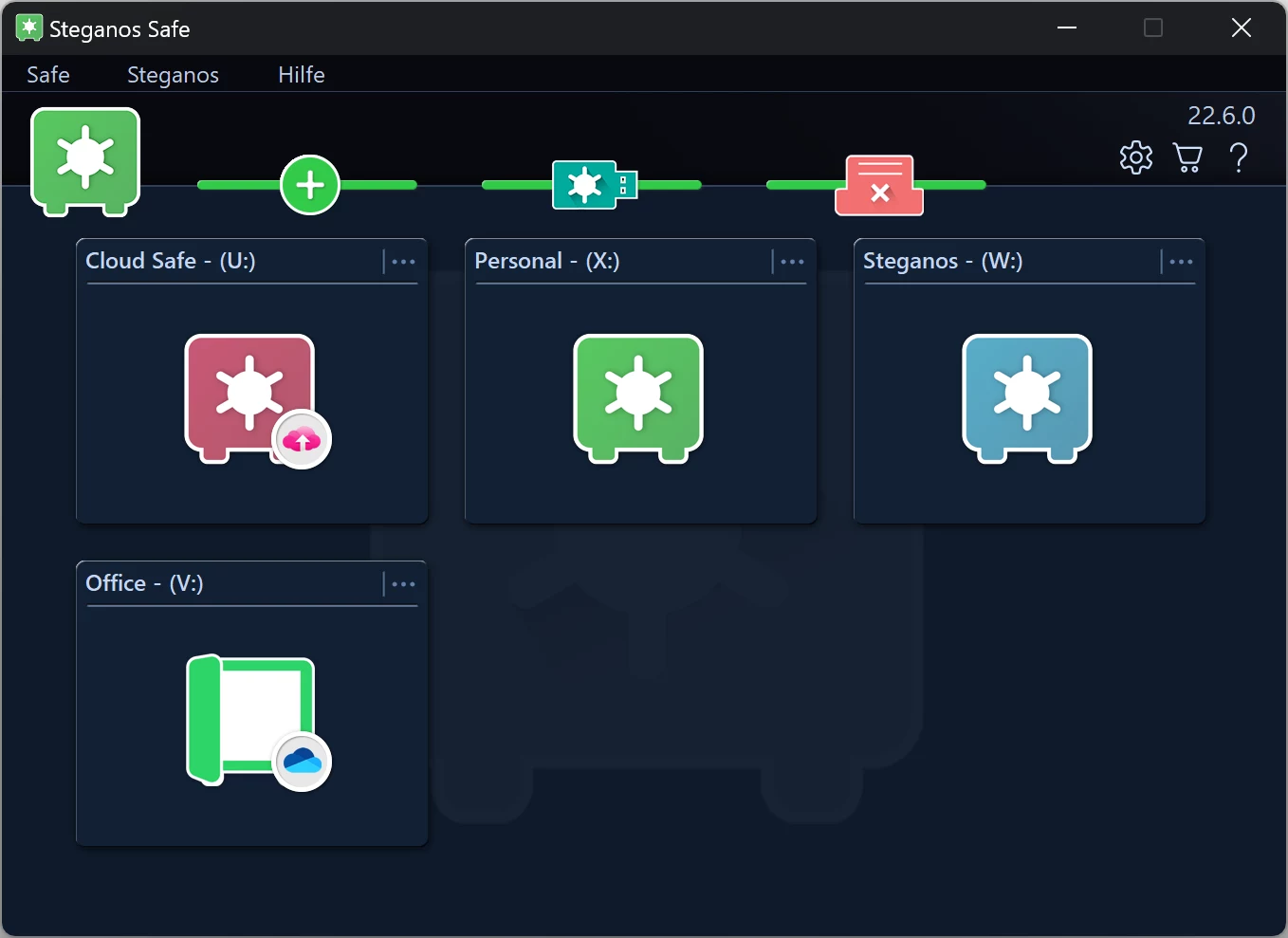
Here you can learn more about Steganos Privacy Suite and Steganos Data Safe and how they protect your privacy. Both products have the described Steganos Data Shredder as a component.

 Steganos®Data Safe
Sensitive files in an encrypted vault – on your PC and in the cloud.
- ✓Encrypted safes at the touch of a button
- ✓256-bit AES encryption
- ✓For cloud folders and USB sticks too
- ✓Delete files securely and irrecoverably
- ✓30 days unrestricted, no subscription
More Tips & Hints
How to use the Password Manager on iOS and Android devices
Step by step: install the app, synchronize your keychain via the cloud and have your passwords at hand on the go as well.
Read on →
How a VPN can protect your smartphone and increases security and browsing comfort
Your smartphone holds your accounts, photos and messages. What a VPN actually secures there – and where it additionally increases browsing comfort.
Read on →
How to save money with VPN when shopping, booking flights and vacations online
Prices often depend on your location. How to check that, what to watch out for and why security is the real gain.
Read on →
How to use the
Password Manager
on iOS and
Android devices
Step by step: install the app,
synchronize your keychain via the cloud and have your passwords at hand on the go as well.
To use the Password Manager on the go, first install the app "Steganos Password Manager 26" in the Google Play Store or Apple App Store.
Launch the app. To be able to use your keychain on the go, you first need to synchronize it with a cloud storage. Once that's done, tap the cloud icon in the bottom left of the app, select the provider you're using, and follow the login process. Be sure to log in with the account you used on the PC to sync your keychain.
Once your app is connected to your cloud storage, you can now download your keychain by tapping it in the list. After entering your password, your passwords will then be available to you in the app as usual.
Password Manager for Android:


Password Manager for iOS:


If you want to use the autofill function on your Android device, you must first set up the Password Manager as a source for it.
To do this, please first open the settings of your device, then select "Steganos Password Manager" in "Passwords and accounts" as "Service for autofill".
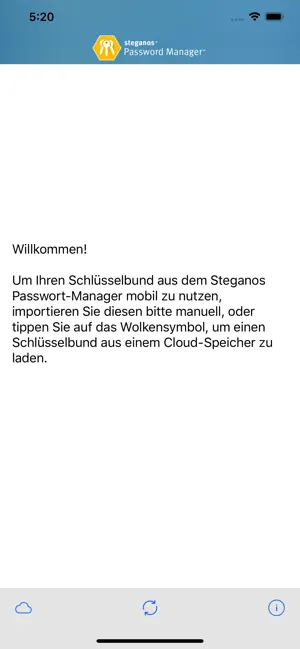
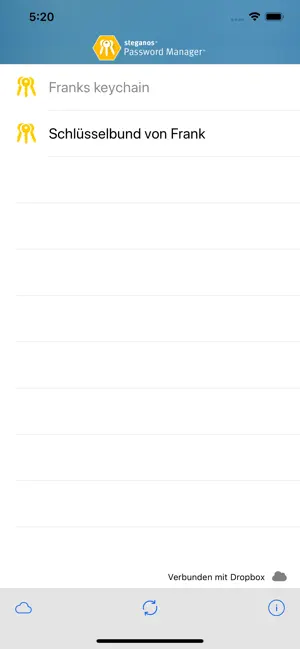
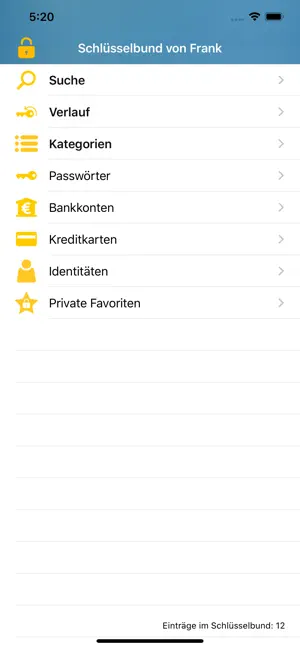
Now the passwords from your keychain are available to you via Android's autofill function and should be available for selection in corresponding input fields in apps and browsers. Sometimes it is necessary to hold down your finger on an input field for a moment for the option to pop up.
If you want to use the autofill feature on your iOS device, you first need to set up the Password Manager as a source for it.
To do this, please first open the settings of your device, then select "Steganos Password Manager" in "Passwords" as "Autofill".
Now the passwords from your keychain are available to you via the autofill function of iOS and should be available for selection in corresponding input fields in apps and browsers.
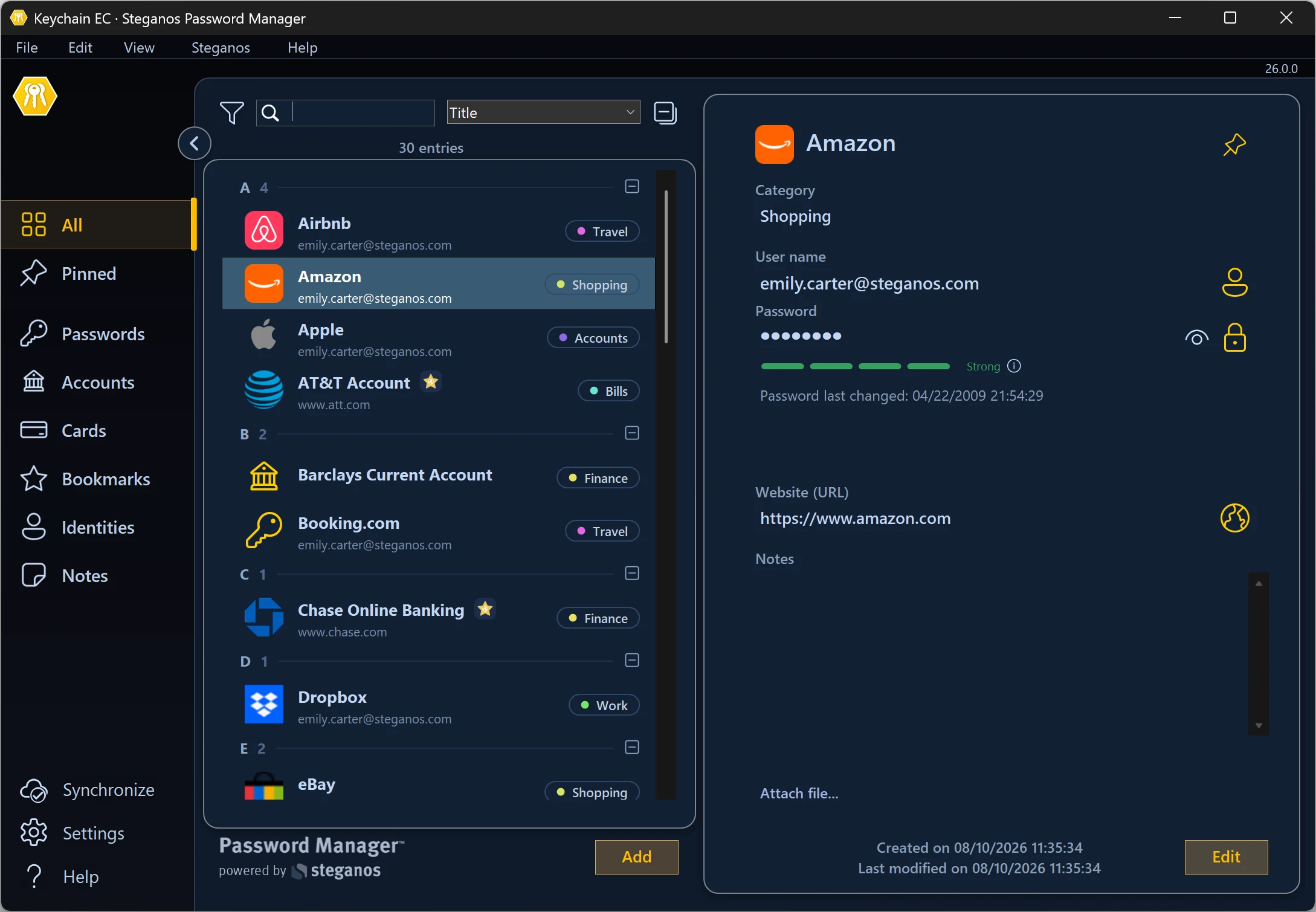
 Steganos®Password Manager
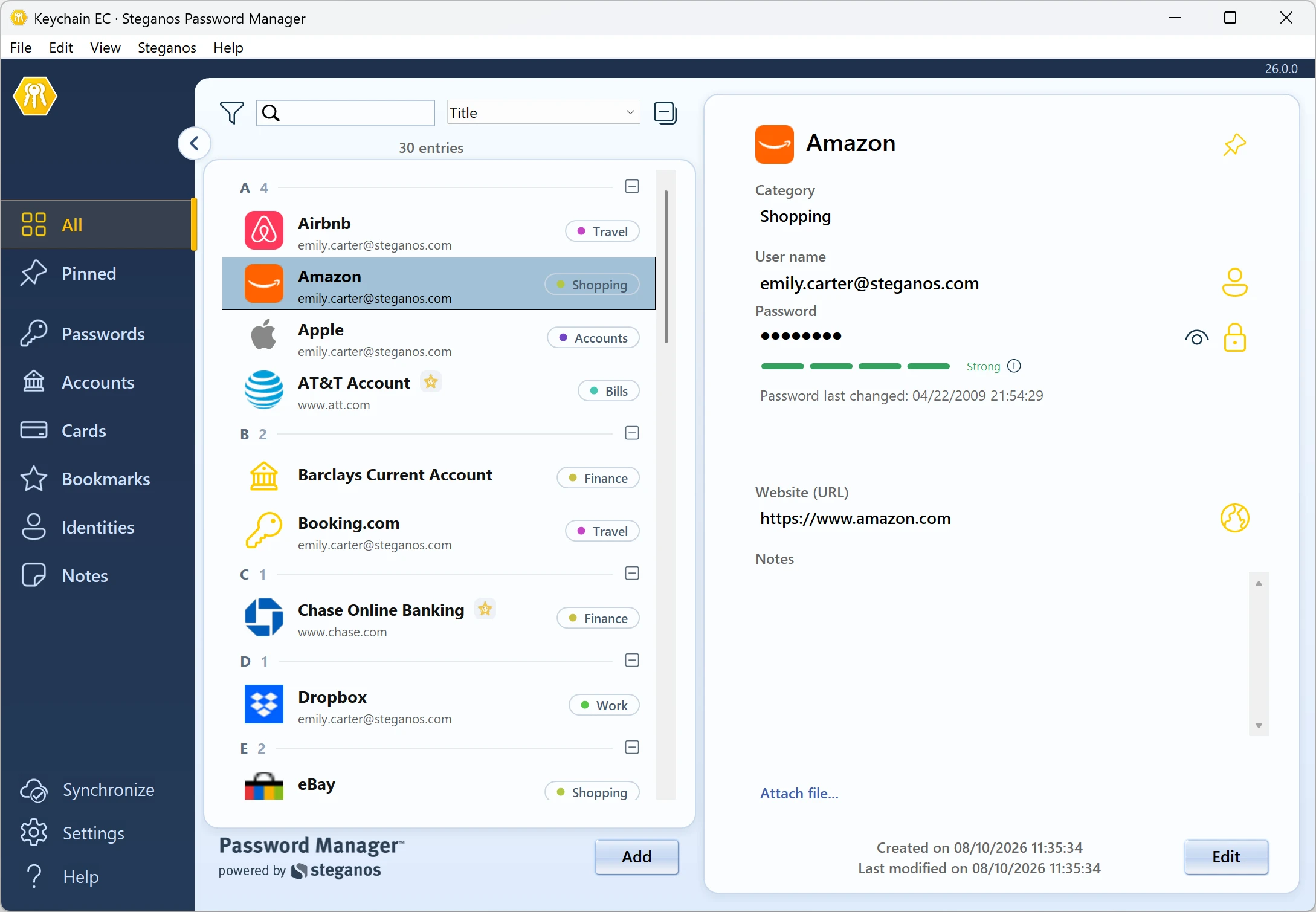
A strong password is the start. Remembering all of them is the real task.
- ✓All your passwords safe in one place
- ✓Automatic filling in browsers and apps
- ✓Access from PC, smartphone and tablet
- ✓256-bit AES encryption
- ✓30 days unrestricted, no subscription
More Tips & Hints
How a VPN can protect your smartphone and increases security and browsing comfort
Your smartphone holds your accounts, photos and messages. What a VPN actually secures there – and where it additionally increases browsing comfort.
Read on →
How to save money with VPN when shopping, booking flights and vacations online
Prices often depend on your location. How to check that, what to watch out for and why security is the real gain.
Read on →
How to bypass censorship on the Internet with a VPN
An encrypted tunnel to a server abroad – what that achieves against censorship and regional blocks, and where the limits are.
Read on →
How a VPN can protect your
smartphone and increases
security and browsing comfort
Your smartphone holds your accounts, photos and messages.
What a VPN actually secures there – and where it additionally increases browsing comfort.
Protection in public networks, hotspots, Wi-Fis
A VPN encrypts your traffic from the smartphone to the VPN server, helping you to use public Wi-Fi, hotspots, etc. without worry and still surf safely. Encryption prevents cybercriminals from recording or manipulating your traffic.
Maintain privacy and security from services and websites you use
By not exposing your IP address to the websites you use, you avoid them being able to track you via IP address. Also, you are protected from attacks against your IP address, as malicious actors can only learn the IP address of the VPN server, not their actual IP address, while the VPN is active.
Bypass content blocks and annoying firewall settings
With the help of a VPN, you can view content that is blocked in your country, such as video on YouTube or in media libraries. With the VPN, you simply connect to a server in a country where the content is not blocked and then call up the desired content. To the website, you now appear as a user from the country where the VPN server is located.
Likewise, VPN allows you to bypass firewalls that prohibit you from accessing certain websites on local networks.
Increase privacy towards your Internet provider
Encryption via the VPN can also help protect your privacy towards your Internet provider, as it prevents them from analyzing your Internet traffic. For example, this can be very specifically useful if your provider throttles certain types of traffic or blocks access to certain services or websites.
Steganos VPN Online Shield for Android
Steganos VPN Online Shield for iOS
Steganos®VPN Online Shield
Fully protects your devices – not just in the browser, but system-wide.
- ✓Encrypts your entire connection
- ✓Hides your real IP address
- ✓256-bit AES encryption
- ✓Servers in many countries, switch with one click
- ✓7 days unrestricted, no subscription
More Tips & Hints
How to save money with VPN when shopping, booking flights and vacations online
Prices often depend on your location. How to check that, what to watch out for and why security is the real gain.
Read on →
How to bypass censorship on the Internet with a VPN
An encrypted tunnel to a server abroad – what that achieves against censorship and regional blocks, and where the limits are.
Read on →
How to protect yourself in public WiFi networks
In hotels, at airports or in a café, your data traffic can be read by anyone who is on the same network. What helps against it – and what does not.
Read on →